
A buyer’s agent calls on a Tuesday in October. The closing is in three weeks, the lender wants the inspection report, and the seller’s driveway is a steep gravel road that may be soft by then. Meanwhile your regular pumping customers are still calling about fall service, and someone’s toilet is gurgling.
Spring and fall fill the calendar with routine pumping. House sales add rush inspections with closing dates attached, and the phone does not slow down for either. Much of the typing behind all this is repetitive, and that is the part AI can take on.
Four pieces of writing AI can draft
None of these replace a person’s judgment. Each one is a first draft that someone on your team reads before it goes out.
Pumping reminders
Most households pump on a schedule that depends on tank size and how many people live there. If your records hold the household size and the date of the last service, an AI assistant can draft a reminder that says so: “Our records show your tank was last pumped in 2022 and there are five people in the house.” A reminder that names the last service date gets answered more often than a generic postcard. (That is our experience of how people respond, not a measured figure.)
You still decide how often a given system should be pumped. The draft only prompts the customer to call.
Scheduling replies for inspection requests
Inspection requests tend to arrive missing the same details. An agent can read the email or form and draft a reply asking for what you need:
- The closing date and any lender deadline
- Who has access to the property and when
- Gate, driveway or dog concerns
- Whether the seller knows where the tank and lids are
- Whether the house has records from earlier work
The draft goes to whoever runs your calendar. Nobody is promised a date until a person has looked at the schedule.
A plain-language summary for the buyer and agent
Your inspection report is written for the file. A buyer and an agent often want something shorter and plainer. An AI assistant can draft a summary from your finished report, using your findings and your wording for anything technical.
The inspector reads the summary against the report before it is sent. If the draft softens a finding, or states something the report does not, it gets fixed or thrown out.
Sorting “is this a backup?” calls
These calls come in at all hours. An agent can ask a few questions and pass the answers to a person with a short note. A rough sort looks like this:
| What the caller sees | What it may point to |
|---|---|
| Tank level looks normal | A clog in the line before the tank |
| Tank level is high | The outlet filter or the leach field |
This is a starting point for whoever calls back, not a diagnosis. The agent can’t see the tank, and a caller’s description may be wrong. Our septic system guide covers how these parts fit together if you want something to point customers to.
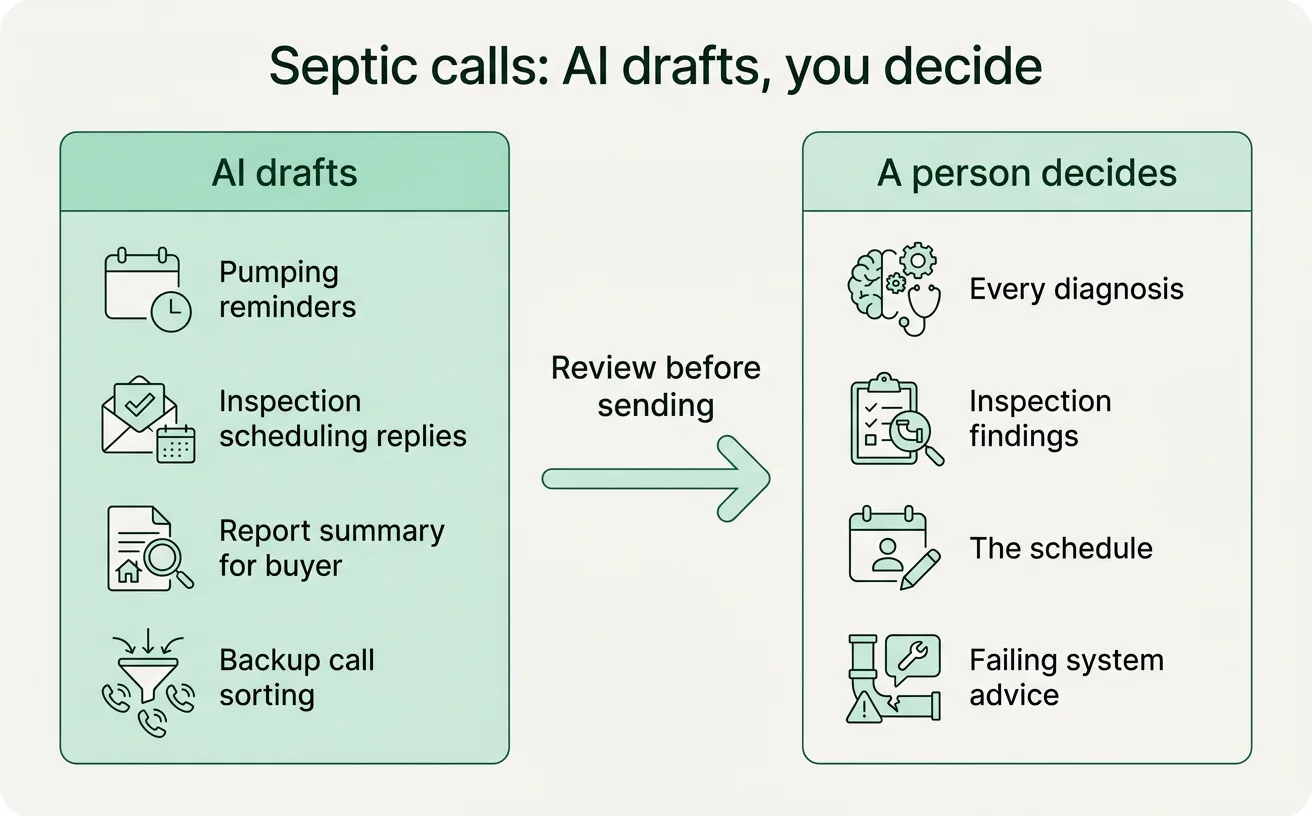
What people still decide
The line is simple. Anything that says what is wrong with a system, or how bad it is, comes from a person who has been on the property.
- Every diagnosis, including the sorted backup calls
- Every inspection finding and how it is worded
- The schedule, especially when a closing date is pushing on it
- Anything about a failing system, which can affect a sale, a loan and a family’s home
An agent drafts, looks things up and pre-fills. It doesn’t tell a buyer a system is fine, and it doesn’t tell a seller it has failed. We build these setups so the draft waits in a queue until someone approves it.
Where your customer records live matters
Reminders and report summaries use customer names, addresses and system details. Before you paste any of that into a tool, decide what you are comfortable sharing and where. Our one-page AI policy post is a good place to start. If you would rather keep records in-house, private AI hosting is an option.
A small first step
Pull the customers who haven’t been pumped in over three years. If your records are in a spreadsheet or a billing system, that is usually a quick filter on the last service date.
Say the list comes to a few dozen names. Have an AI assistant draft a short reminder for each, using the last service date and household size where you have them. Read the drafts, fix anything off, and send them in small batches so your phone can keep up with the replies. Spend an hour or two on it one week, and see what comes back.
If you want to see how that fits the rest of your week, we map one job at a time using our workflow tool. And if the reminders work and you want the inspection replies handled next, custom agents are how we build that.
If you would like to talk it through, book a planning call. It’s 30 minutes and free.