
A new hire at a ten-person firm in Concord is trying to finish a customer letter before lunch. She pastes the customer’s full email thread, with an account number in it, into a free AI chat window to get a cleaner draft. Nobody told her not to, and nobody told her it was fine.
That gap is what a short AI policy fills. Most small businesses don’t have one, and the people on staff are guessing. A single page, written in an afternoon, removes most of the guessing.
Why one page is enough
A long policy gets filed and forgotten. A page that gets read aloud at a staff meeting gets remembered, and that is the standard to aim for.
The page needs to answer three questions: what stays out of public AI tools, which tools are fine for which work, and who to ask when you’re unsure. If a question isn’t answered on the page, the page tells people who to ask.
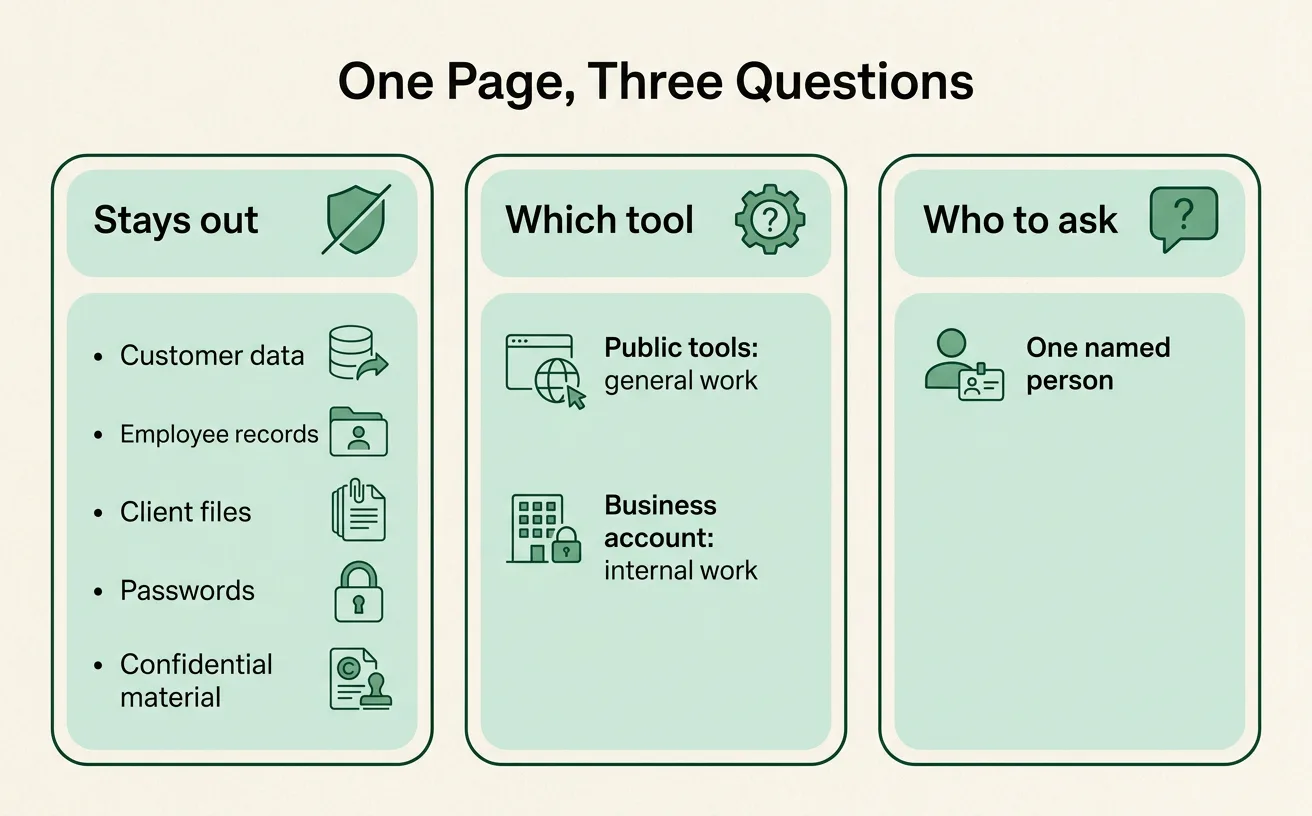
What stays out of public AI tools
Public and free AI tools are built for general use, and what you paste into them may be stored or reviewed depending on the account and its settings. Since your staff can’t easily check that on the fly, the simple rule is to keep sensitive material out. List it plainly:
- Customer data: names with account details, addresses, payment information, order histories
- Employee records: reviews, pay, medical or leave information, disciplinary notes
- Client files: anything a client handed you to do your job
- Passwords, access codes and logins of any kind
- Anything under a confidentiality agreement or a contract with data terms
Name the categories in the policy, not just “sensitive information.” People differ on what counts as sensitive, but they rarely disagree about a list.
If your work touches legal, medical or financial records, check your contracts and professional obligations before deciding what is allowed. We can’t give legal advice here, and the policy shouldn’t pretend to.
Which tools are fine for which work
Not all AI use is risky. Asking an assistant to tighten a paragraph, brainstorm names for a spring sale, or explain a spreadsheet formula involves nothing sensitive. The policy should say so, or people will stop using the tools or use them in secret.
A simple table works well:
| Kind of work | Where it’s fine |
|---|---|
| General writing, brainstorming, learning a topic | Public tools such as ChatGPT, Claude, Copilot or Gemini |
| Internal drafts using company material | A business account with the training and sharing settings checked |
| Anything with customer, client or employee data | Only a tool the owner has approved for that purpose, or not at all |
Two details are worth writing down. First, personal accounts and business accounts are different things, and the policy should say which one staff use for work. Second, someone should look at the data and sharing settings on the business account once, and record what they found.
If you’d rather have the customer-file work done without any data leaving your systems, that is what private AI hosting is for. Most ten-person businesses don’t need it on day one, but the policy can note it as an option.
Who to ask when you’re unsure
Name one person. A line like “ask the office manager” works. A committee does not, because people won’t chase a committee for a quick question.
Tell staff that asking is expected, and that a question before pasting is never a problem. Also say what to do after a mistake: tell the named person the same day, so they can check the account settings and decide whether a customer needs to hear about it. People report slips quickly when the policy says nobody gets in trouble for reporting.
Keep a person in charge of the output
One more line belongs on the page. AI drafts, and a person approves anything that goes to a customer, touches money, makes a commitment or involves a judgment call. An AI-written quote that goes out unread is the owner’s quote.
This also ties into the scam side of things. A caller or email asking for money or credentials is a risk whether or not AI wrote it, and our post on the voice-clone call asking for a wire transfer covers what to do.
Writing it in an afternoon
Start with a blank page and four headings: Stays out, Which tool, Who to ask, A person approves. Fill each in with plain sentences. Aim for something that fits on one side of a sheet of paper in a readable font.
Then ask each team member what they already use AI for. You will probably learn about a few uses you didn’t know about, and the policy should cover those, not an imagined version of how your office works.
A first step for next week
Write the page this week. At the next staff meeting, read it aloud, take questions, and change anything that gets a confused look. Put the named person’s name at the bottom, and revisit the page in a few months as the tools change.
If you want help turning it into a short team session, our AI cowork training covers this with hands-on examples from your own work. Otherwise, we’re glad to look at your draft: book a planning call.