It's the first week of July. You walked three jobs yesterday, recorded voice memos in the truck between them, and took forty photos. The homeowner in Bedford wants a number by Friday. The deck in Gilford needs a permit application before the town's next deadline. And the kitchen you're halfway through just grew a pantry.
In New Hampshire the building season is short and it is loud. Mud season eats the spring, the snow comes back in November, and everyone wants their project done in between. The paperwork doesn't get lighter in July; it just gets done at 10 p.m.
The work that happens after the work
Talk to a remodeler or a roofer about where their week goes and the answer is rarely "on the tools." It's the estimate that never got written up, the change order that got agreed on the driveway and never put on paper, and the permit packet missing one drawing.
Picture a small builder spending eight to ten hours a week in peak season turning notes into estimates and chasing documents. Much of that time is transcription and assembly, not judgment. That's the part AI is good at.
What AI actually does well on a job
Language models are good at turning messy input into a tidy first draft. For a contractor, the messy input is already there:
- voice memos recorded in the truck
- photos of the existing conditions, with a few scribbled measurements
- texts and emails from the homeowner
- your own past estimates for similar jobs
1. A draft estimate and scope
From a site-visit memo and a set of photos, an assistant can produce a draft scope of work in your format: demo, framing, electrical rough-in, finishes, exclusions and assumptions. It can pull line items from your past estimates for a similar bathroom or roof, so the draft starts from how you actually work.
What it produces is a draft for you to price, not a price. You set the numbers, the markup and the contingency. It should also flag what it couldn't tell from the notes, like "No measurement for the rear wall" or "Photo doesn't show the panel," so you know where the gaps are before the client does.
2. Change orders that get written down
Change orders are where small contractors lose the most goodwill. The homeowner asks for a pantry, you say "sure, we can do that," and three weeks later nobody agrees on what was said.
An assistant can take a thirty-second voice memo ("Client wants to add a pantry off the kitchen, about four by six, shelves only, no door") and draft a change order: what changed, what it affects in the original scope, and a blank for your price and schedule impact. You review it, fill in the number, and send it for signature. The habit that matters is getting every change on paper the same day, and a draft makes that habit easy.
3. Permit packets assembled for review
Every town's building department wants something a little different. An assistant can keep a checklist per town from the application forms you already use, and assemble the packet: the application pre-filled from the job file, the plot plan, the drawings, the contractor information. It then tells you what's missing.
It doesn't submit anything. You or your office manager check it, sign it and take it in or upload it.
Where the contractor stays in charge
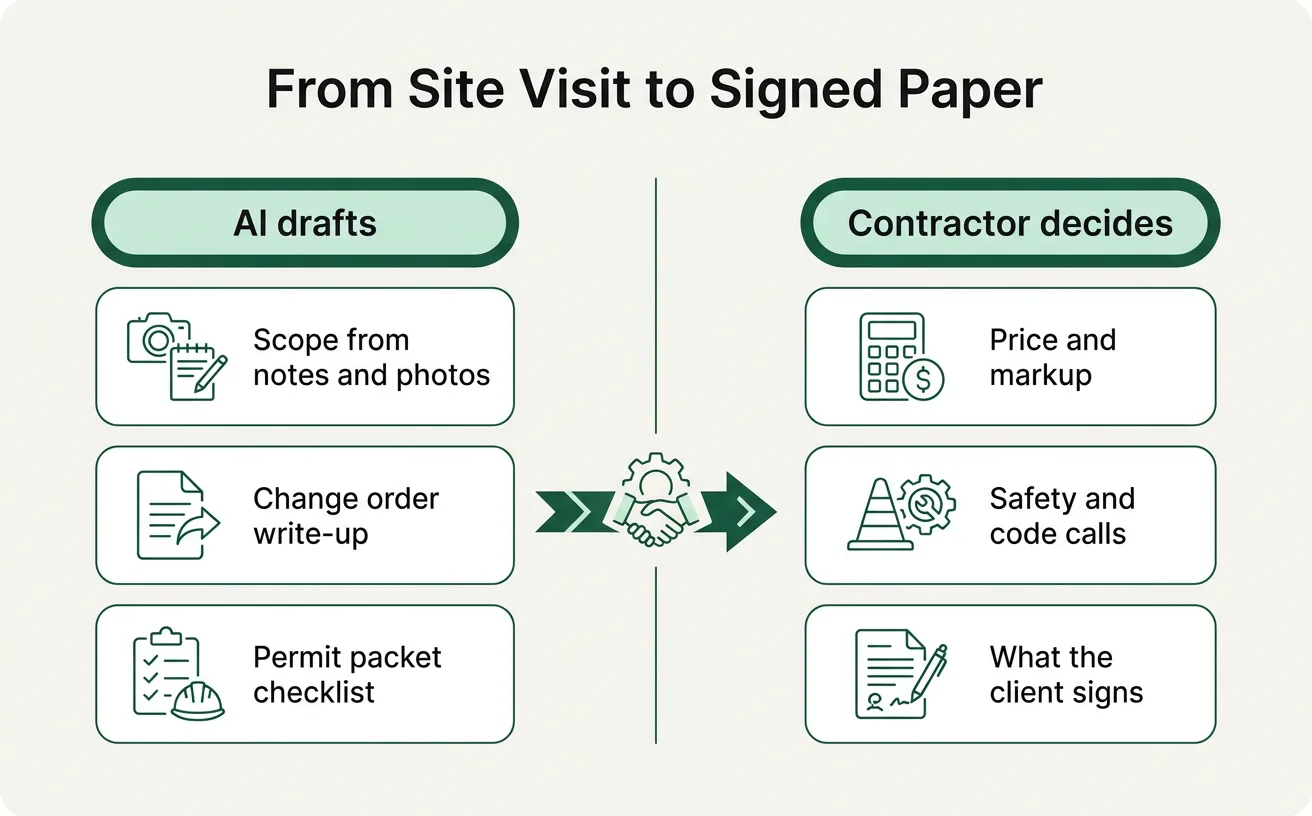
This is the part to be clear about. AI can write up a scope, but it doesn't know what's behind the drywall, and it doesn't carry your license or your insurance.
| AI drafts | The contractor decides |
|---|---|
| Scope of work from notes and photos | The price, markup and contingency |
| Change order wording | Whether to accept the change, and at what cost |
| Pre-filled permit forms | What's submitted and signed |
| A list of likely code items to check | Every code and safety call |
Pricing, safety and code decisions stay with you. An assistant can remind you that the town may want a stamped drawing for a certain kind of deck, based on the checklist you gave it. It can't tell you whether a header is adequate or a roof can carry another layer, and it shouldn't try.
The same goes for anything that leaves the building: nothing goes to a client, a supplier or a building department without a person reading it first. When we map a contractor's workflow, we write that as a plain sentence for each step, for example "The owner approves every price before an estimate is sent." You can see how that works on our Workmap page.
Your crew already has the tools
Most of this doesn't need anything exotic. The office manager who types up estimates already uses email and a phone. The foreman already takes photos. The change is in how the notes, photos and past jobs get pulled together.
Sometimes the right first move is just teaching the team a few good habits with an AI assistant: how to dictate a clean site memo, how to ask for a scope in your format, how to check the draft. That's what our team training covers. When the same job repeats every week, it's worth building an agent around your own estimates and forms that knows your line items and your towns.
What to watch out for
A few honest cautions before you start:
- Old estimates carry old assumptions. If your past jobs are priced on last year's material costs, a draft built from them will be too. Price fresh every time.
- Photos miss things. A draft scope from photos is a starting point for a walk-through, not a replacement for one.
- Client data is client data. Addresses, floor plans and photos of someone's house deserve care. Know where your AI tool stores what you give it.
- Town requirements change. Keep the permit checklists current, and confirm with the building department when in doubt.
A narrow first job to try
Start with change orders. They're short, they happen every week in the season, and the cost of skipping them is real.
For the rest of this summer, every time a client asks for a change, record a voice memo on the spot. Have an assistant turn it into a change order draft in your format, fill in the price and schedule impact yourself, and send it for signature the same day. By Labor Day you'll know whether it saved you time and arguments, and you'll have a clean pattern to extend to estimates next.
If you'd like help setting that up around how your shop already works, book a planning call.