
Registration opens in January, and by the first week of February the camp inbox looks the same as it did last year. Parents want to know whether the cabins have outlets, what to do about a phone, when visiting day is, and whether a child who can't swim well will be fine. Most of these questions have been answered before, often by you, often at night.
If you run an overnight or day camp in New Hampshire, winter is when you are also hiring staff, planning the summer, and maybe shoveling out the office. The repeat questions take hours that you would rather spend elsewhere.
The questions that come back every year
Take a camp on a lake in Carroll County with a few hundred families. Say the office spends six hours a week in February answering questions that are already written down somewhere: a packing list, a handbook PDF, last year's email. The answers exist. Finding them and retyping them is the work.
This is a good fit for AI assistants, because the task is mostly reading what you have already said and saying it again in the right tone for one parent.
What AI drafts well
Give an assistant your handbook, packing list, calendar and past replies, and it can produce a first draft of:
- Answers to the common questions. Packing lists, drop-off and pick-up times, visiting day, the cabin phone policy, what the camp store sells, what to do about lost items.
- Chasers for missing paperwork. A friendly note to families who haven't returned a form, listing which one, with the due date and where to send it.
- Waitlist emails. A holding message for families who are waiting, an update when the list moves, and a courteous note when a session fills.
You read each draft, fix what is off, and send it. Over a few weeks the drafts get closer to how you write, because you keep correcting the same handful of phrases.
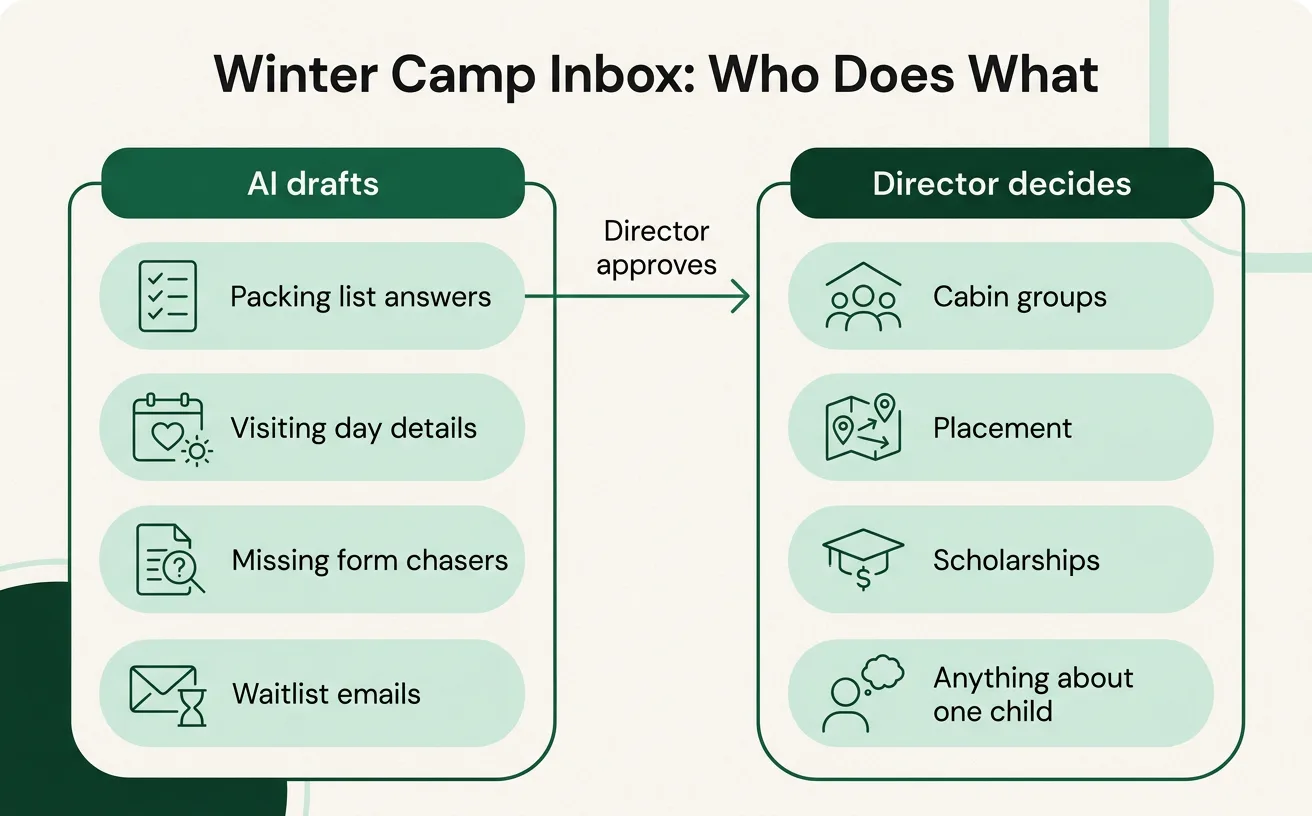
What stays with the director
Decisions about a particular child belong to you. That includes:
- Placement. Which session, which age group, whether a child is ready for a longer stay.
- Cabin groups. Friend requests, counselor fit, the kid who needs a quieter bunk.
- Scholarships. Who receives aid, and how you explain it to a family.
- Anything about one child. A note about homesickness, a behavior concern, an allergy, a custody arrangement.
An assistant can lay out the information you already have so you can decide faster. It should not decide, and it should not send a reply about a specific child without you reading it first. Parents also notice when a message about their kid sounds generic, and they are right to.
Health information stays private
Medical forms hold allergies, medications, diagnoses and emergency contacts. That is information about children, and a lot of families share it because they trust you with it.
Before you paste any of it into a consumer AI tool, stop and decide where it will go. For the FAQ and waitlist work above, you don't need health details at all. Keep them out of those tools.
For form chasers, the assistant only needs to know that a health form is missing, not what it says. If you later want AI to help with anything that touches medical records, that is a case for a private setup where the data stays in-house, such as private GPU hosting. Check your own obligations to families and any licensing requirements before you decide.
Getting the team using it the same way
The office manager, the assistant director and the person who covers the phones in the off-season will each try it differently. Agree on a few rules: what can be pasted, who reviews drafts, and what never goes in. A short session on this is what AI cowork training is for. Small teams that skip it tend to end up with three different habits and one worried director.
If the same questions come up on the phone as in email, our post on the first cold snap and the propane phones covers a similar seasonal rush from another kind of business.
A first step for this winter
Open your inbox and pull out last winter's parent emails, from January through May. Remove the names and anything about a specific child's health or circumstances. Give the rest to an AI assistant and ask it to sort the questions into groups and draft a plain FAQ from your own past answers.
Then edit it. Cut anything that is wrong for this year, fix dates and fees where you know the current ones, and add the answers only you know. Post the result on your site and keep a copy for whoever answers email while you are on the phone. That one document is a narrow job, it takes an afternoon, and it shows you quickly whether drafting suits your office.
If you want help deciding what to try after that, book a planning call and we'll talk it through in 30 minutes, free.