We wanted to get some real-world experience building a RAG-based chatbot, but using a data source out of our control. We chose our little town's website to scrape and provide a simple web-based chatbot. Simple right..well..not that simple. We learned a lot about the limitations of vector databases and the importance of AI Agent instructions and garbage-in and garbage-out.
Here is the overall architecture:
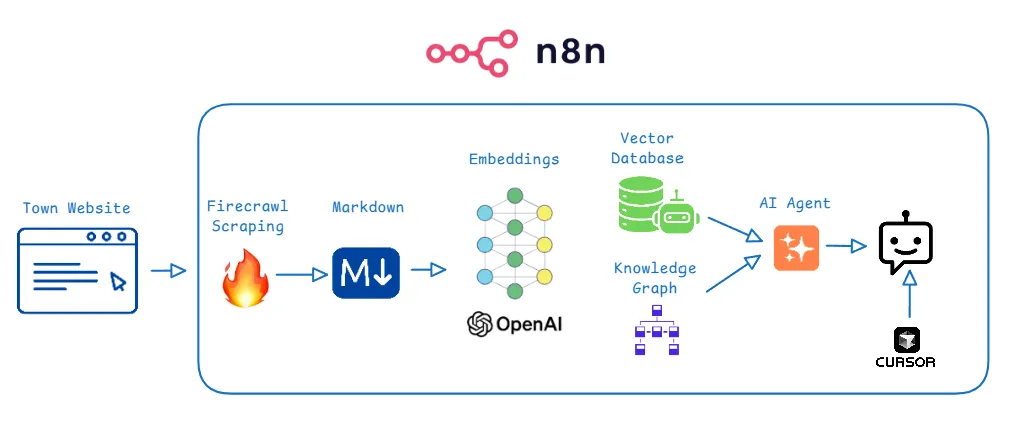
Here are the technologies we used:
- n8n is a very popular workflow tool that has some excellent AI features included. It's open source and they offer a hosted version
- Firecrawl - we used this for crawling a website and converting it to markdown. It's also open source and they offer a hosted version
- OpenAI for embeddings (OpenAI embeddings transform text into high-dimensional numerical vectors that encode semantic meaning, enabling applications such as text similarity analysis, clustering, classification, and semantic search)
- Supabase for the vector store (switched from Pinecone)
- LightRAG for Knowledge Graph
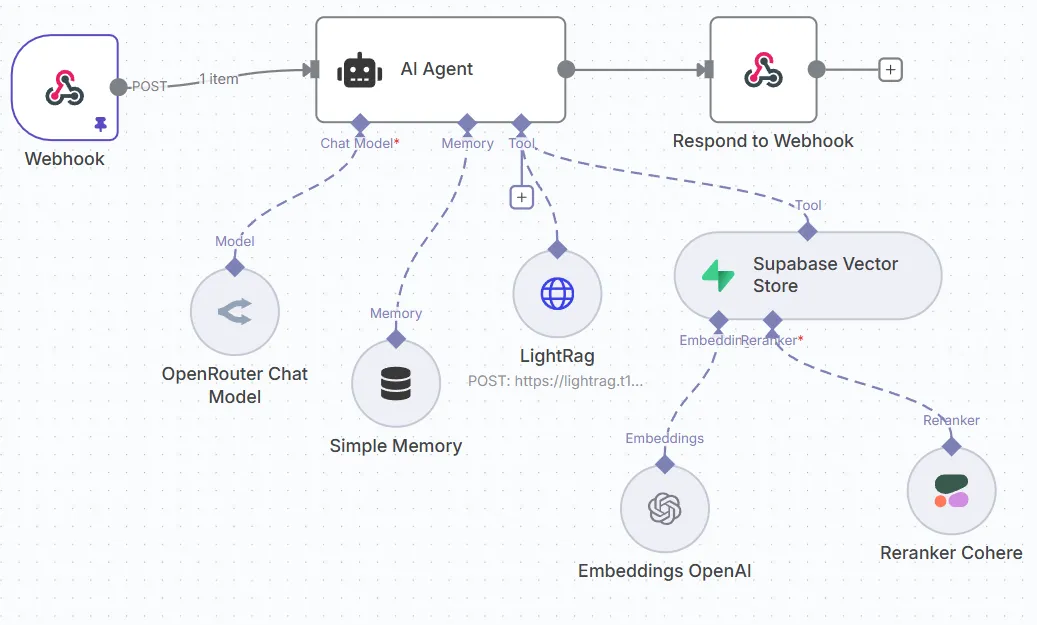
- Cohere's Reranker - used to rank the answers to get a better results
- n8n's Ai Agent for responding to chat/prompts from the website
- Cursor to build the website
- Hosted on bare-metal.io virtual machine (4 vcpu, 12gb ram)
Seems like a lot eh? Orginally, I didn't think this would be very difficult after seeing some basic RAG videos on YouTube. What they don't tell you is scraping a random website out of your control can lead to very strange results. Here are some issues we ran into:
- Scraping with Firecrawl can get expensive so we chose to host it ourselves mostly to get through the dev/testing part
- Getting incorrect results on basic quesitons like "What are the transfer station hours?" (we'll go through this)
- Making sure the metadata is being collected per page. URL, page title,etc..
- AI Agent instructions - this probaby took the most work. Below is just the beginning, it took a lot of iterations to make sure this returns the best possible answer
You are a helpful assistant for the town of New Boston, NH. Only return information you are authorized to provide from the Supabase Vector Store and the LightRag tool or conversation memory (context window of 5). Do NOT generate or infer answers not explicitly found in the vector store or in the LightRag tool or memory. Always prefer the answer from the LightRag tool
- CORS errors - Nobody talks about this but strict rules calling webhooks from one domain to another make it a challenge to get this all wired up.
- We only had the vector store at the beginning but noticed we were getting very inconsitant results on the same quesitons. We introduced LightRAG and that helped a lot.
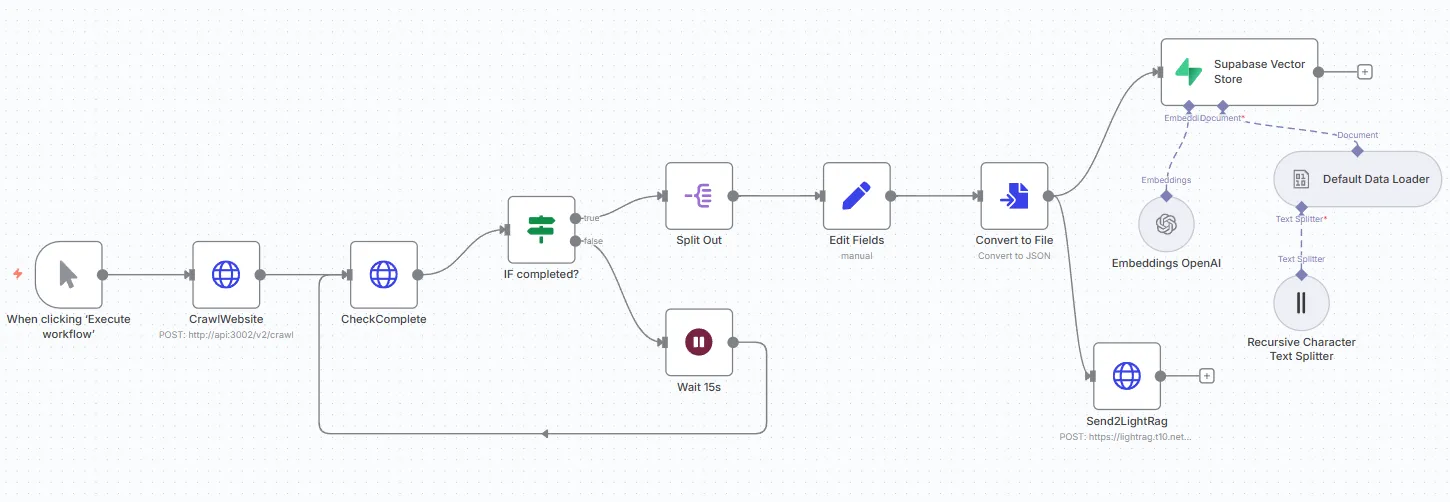
Here are the two n8n workflows we used. One for scraping the data and inserting it into the vector and graph database and one to listen for chat requests from the website and return responses:
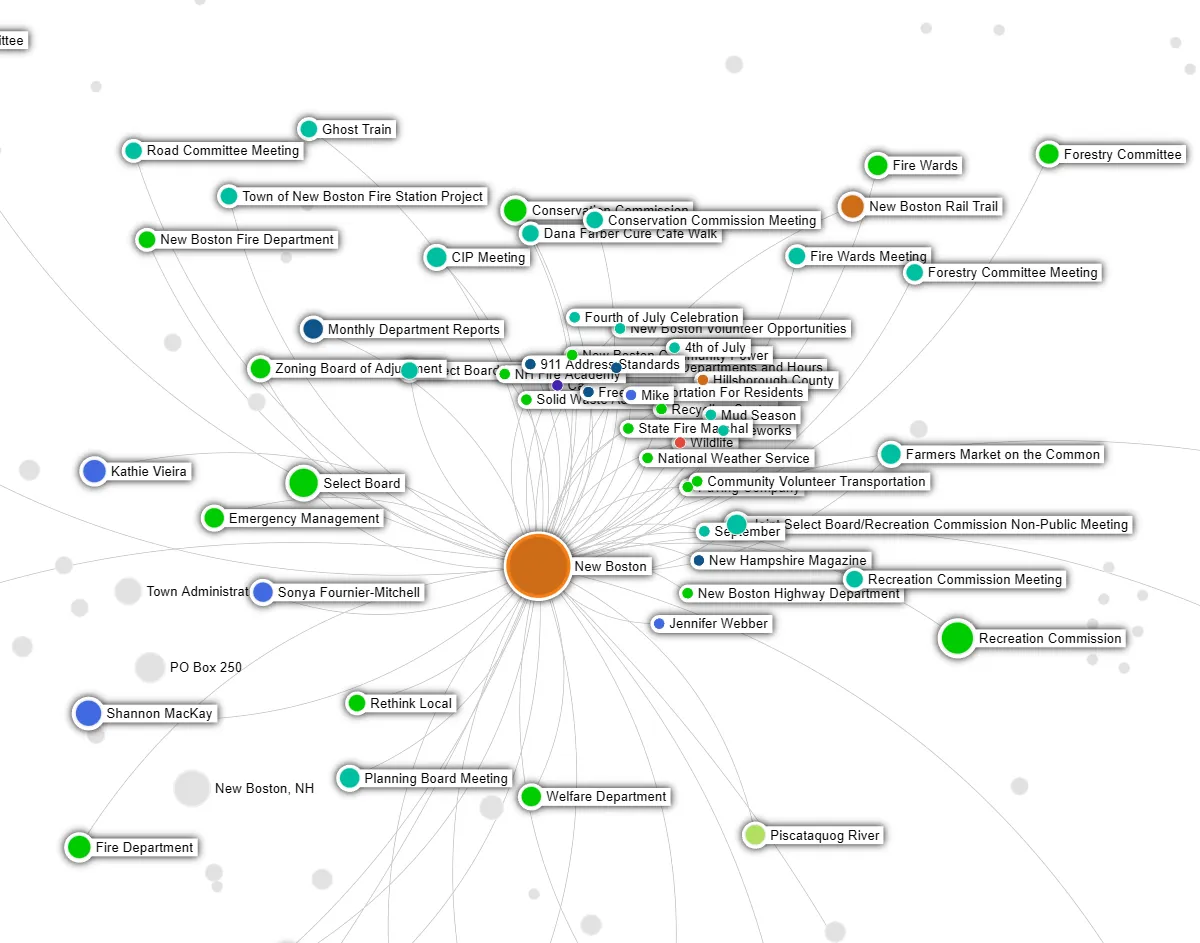
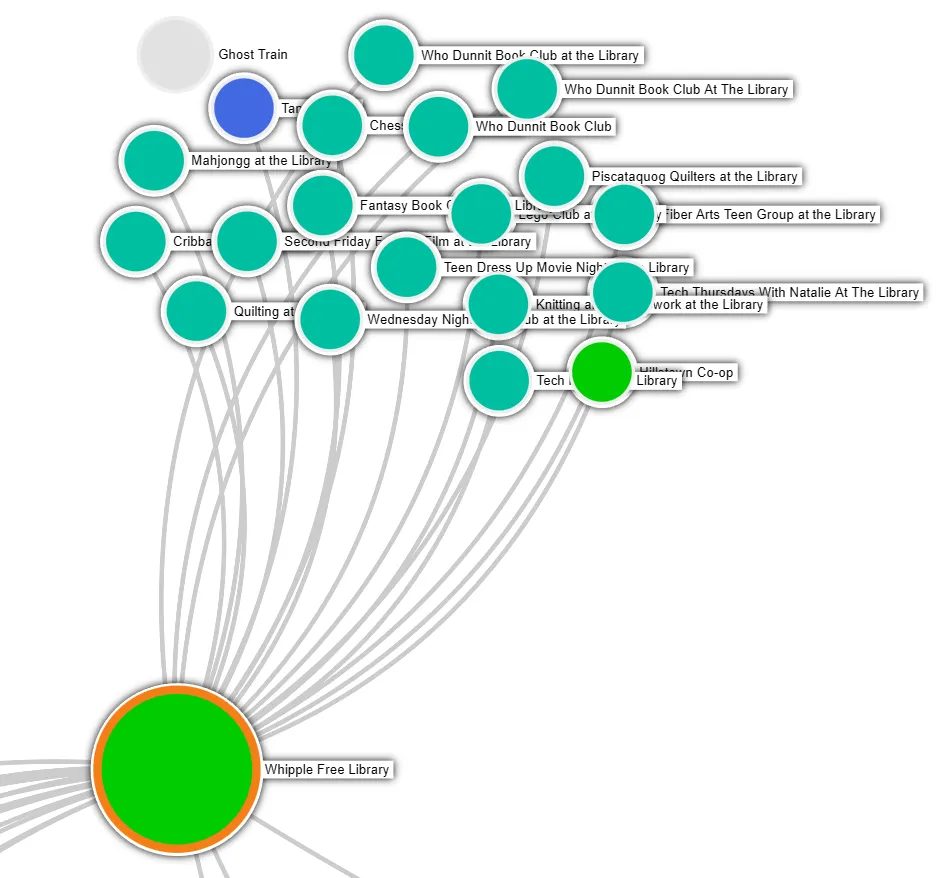
 For the knowledge graph, we used LightRAG as it was easy to implement. There are some better solutions out there but this seemed to work fine. This graph was created by simply sending it markdown documents from the website. We couldn't load them all in as this can get rather expensive because you need to use an embedding LLM like OpenAI.
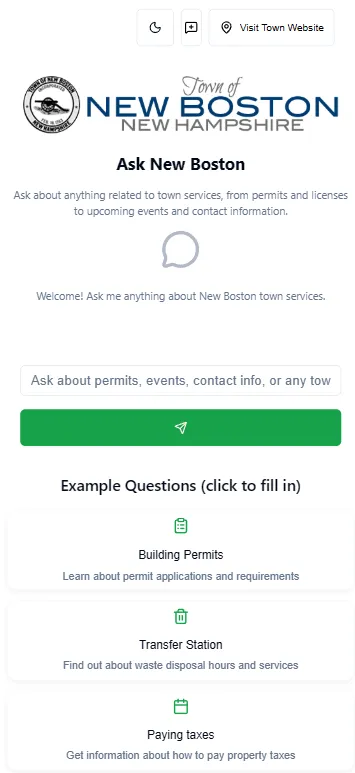
 Once we figured out how to wire this all up and get the Ai Agent instrucitons correct, we built a simple website using Cursor. We used simple design patterns outlined in videos like this add after some prompt haggling, got something that looked good on desktop and mobile.
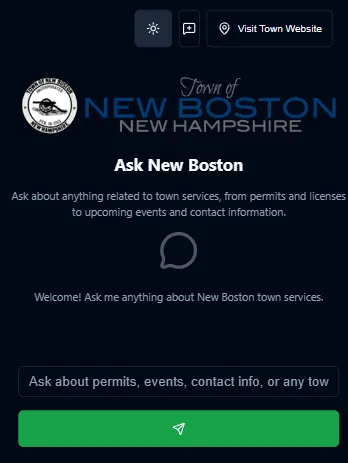
 We even added a dark mode:
 Here it is in action:
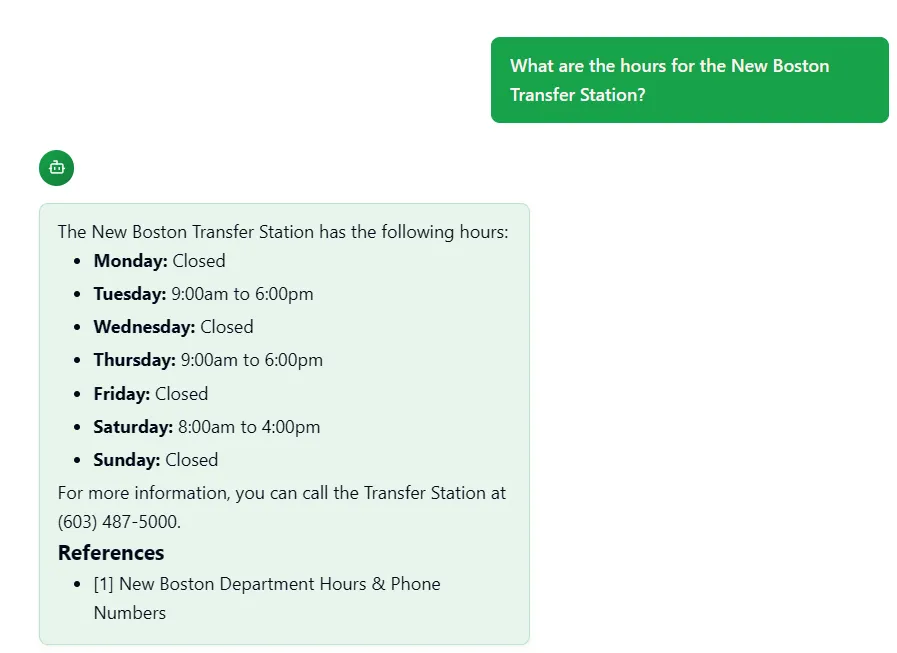 Here is a screenshot of when things go bad:
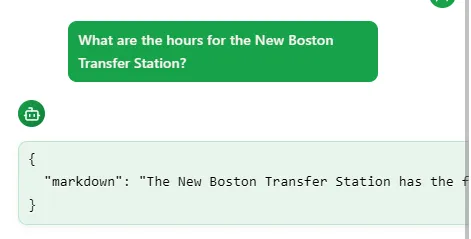 This issue took a better model in Cursor instead of their "Auto" one. (used Grok code fast and it nailed it)
In conclusion, this was a great project to work on. Most of the RAG and GraphRAG examples you see out there are in very controlled environments where the data is a certain format and quality. In reality in any company, the data you are dealing with isn't going to be perfect so you need to add steps and other technologies to ensure your users get a great experience or they will doubt and mabye not even adopt what you have created.
Check out the site at: AskNB.t10.net