
A box of records arrives on a Tuesday afternoon in July. Four hundred pages of medical bills, emails and letters, in no particular order. Somebody has to read all of it and build a chronology before the client meeting on Friday, and at a two-attorney firm in Concord or Keene, that somebody is you.
Most small firms we talk to aren't wondering whether AI can write a brief. They're wondering whether it can help with the box. It can, if you set it up so that nothing it produces is trusted until an attorney has checked it.
The work that eats a small firm's week
Solo and small-firm practice runs on reading. Intake notes, records productions, correspondence, deposition transcripts. Much of the time isn't legal analysis; it's getting organized enough to do the legal analysis.
Picture a solo practitioner who spends ten hours a week summarizing, indexing and drafting routine letters. Some of that is billable and some isn't, and all of it competes with the work only a lawyer can do. AI is well suited to the organizing. It's poorly suited to the judgment.
Four jobs AI does well in a law office
1. Intake summaries
A prospective client fills out a form, sends a long email and leaves a voicemail. An assistant can turn all three into a one-page intake summary: parties, key dates, what the person is asking for, and what's missing. It can also flag names to run through your conflicts check. The conflicts decision itself stays with a person.
2. Document chronologies
This is the job for the box. An assistant can read a records production and produce a dated chronology, with each entry pointing to the page it came from. The page reference is the important part: it lets you or a paralegal check every line against the source in seconds.
3. First-draft correspondence
Engagement letters, status updates to clients, cover letters for productions, routine requests to opposing counsel. An assistant can draft these in your voice from your past letters. You edit, sign and send.
4. Discovery indexing
For a modest production, an assistant can build an index: document type, date, author, recipients, a one-line description, and a flag for anything that might be privileged or need a closer look. It narrows the pile. It doesn't decide what's privileged or what gets produced.
Verify every citation. Every one.
By now most lawyers have heard of the cases where attorneys filed briefs citing decisions that didn't exist, invented by an AI tool, and were sanctioned for it. Those cases weren't about exotic technology. They were about someone trusting a draft they hadn't checked.
Language models produce text that sounds right. A citation that looks perfectly formatted can point to a case that was never decided, or to a real case that doesn't say what the draft claims. So the rule has to be simple:
- No citation leaves the office unless a person has pulled and read the source.
- Use AI for organizing and drafting, not as your legal research database.
- If a draft includes a quotation from a case or statute, check the quotation against the source too.
This is the same principle we apply to every client: the AI drafts, a person approves. In a law office the stakes are just more visible.
Client confidentiality comes before convenience
Client information is the heart of the matter. Before any client document goes into an AI tool, you need to know where it goes, who can see it, whether it's kept, and whether it's used to train anything.
We're not going to tell you what your professional-conduct obligations require. Follow your own professional-conduct obligations and your bar's guidance on AI, and talk to your malpractice carrier if you're unsure. What we can do is give you options that make the confidentiality question easier to answer:
- Keep client files out of consumer AI tools. A free chat account is the wrong place for a client's medical records.
- Use business tools with clear terms on data retention and training, reviewed before anyone uses them on client matters.
- Or keep it all in-house. A private AI setup runs the model on hardware the firm controls, so client documents never leave the office network. For firms that handle sensitive matters, that can be the simplest answer to "where does the data go?"
Whatever you choose, write it down: which tools are approved, for what, and what never goes into them. That one page does more than any technology choice.
Where the attorney stays in charge
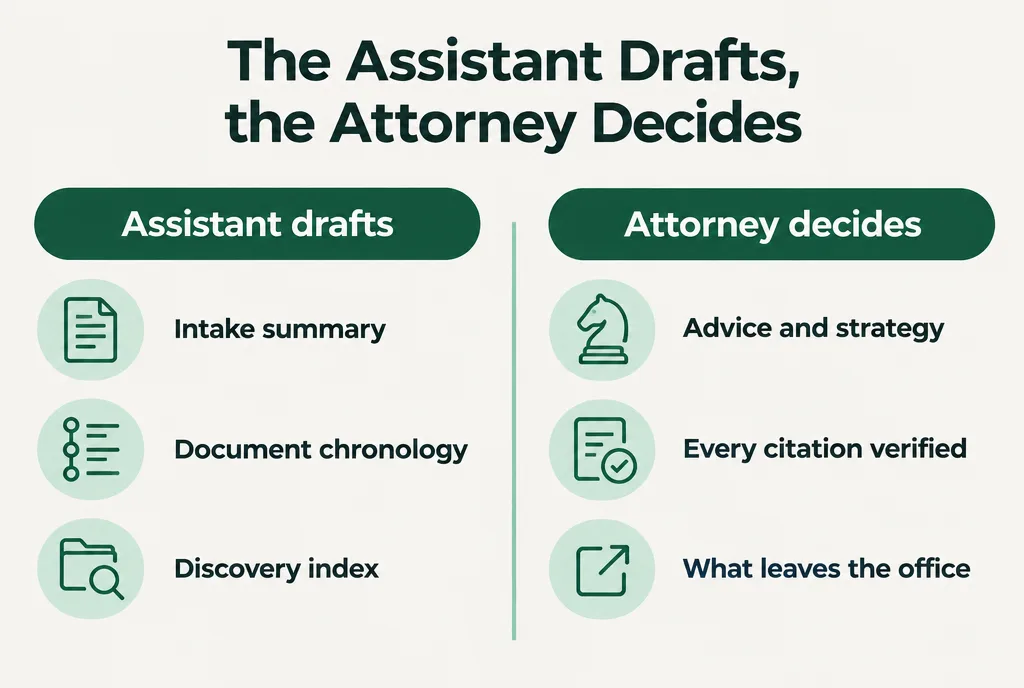
| The assistant does | The attorney decides |
|---|---|
| Summarizes intake materials | Whether to take the matter |
| Builds a chronology with page references | What the facts mean for the case |
| Drafts routine letters | What's sent, and in whose name |
| Indexes a production and flags possible privilege | What's privileged and what's produced |
| Suggests research directions | Every citation, read and verified |
The assistant never gives advice, never communicates with a client or the court on its own, and never files anything. When we map a firm's workflow on a discovery call, each of these approvals gets written as one plain sentence, such as "An attorney reads every cited authority before a filing goes out." You can see how that works on our Workmap page.
Train the people, not just the tools
The biggest risk in a small office usually isn't the software. It's a well-meaning staff member pasting a client email into whatever AI tool is open on their phone.
A short, practical session with the attorneys and staff goes a long way: which tools are approved, what goes in and what doesn't, how to check a chronology against the record, and why citations get verified by hand. That's the kind of thing our team training is built for.
A narrow first job to try
Start with chronologies, on a closed matter.
Take a file from a case that's already resolved, where you know the facts cold. Have an assistant, one your firm has approved for client data or one running on your own hardware, build a chronology from the records, with page references. Then check it against what you know. You'll learn quickly where it's reliable, where it misses things, and how much review time it really takes.
If it holds up, try it on a live matter, with the same line-by-line check. Leave drafting and research for later.
If you'd like help picking the right setup for your firm's data, book a planning call.