Office Network Dashboard: Finding the Cause of Dropped Calls for an Endocrinology Practice
The phones at a family-run endocrinology practice in Florida started dropping calls. We built a live dashboard over their firewall, switches and phone system and found out why. It took two days to go from first look to a dashboard the staff use.
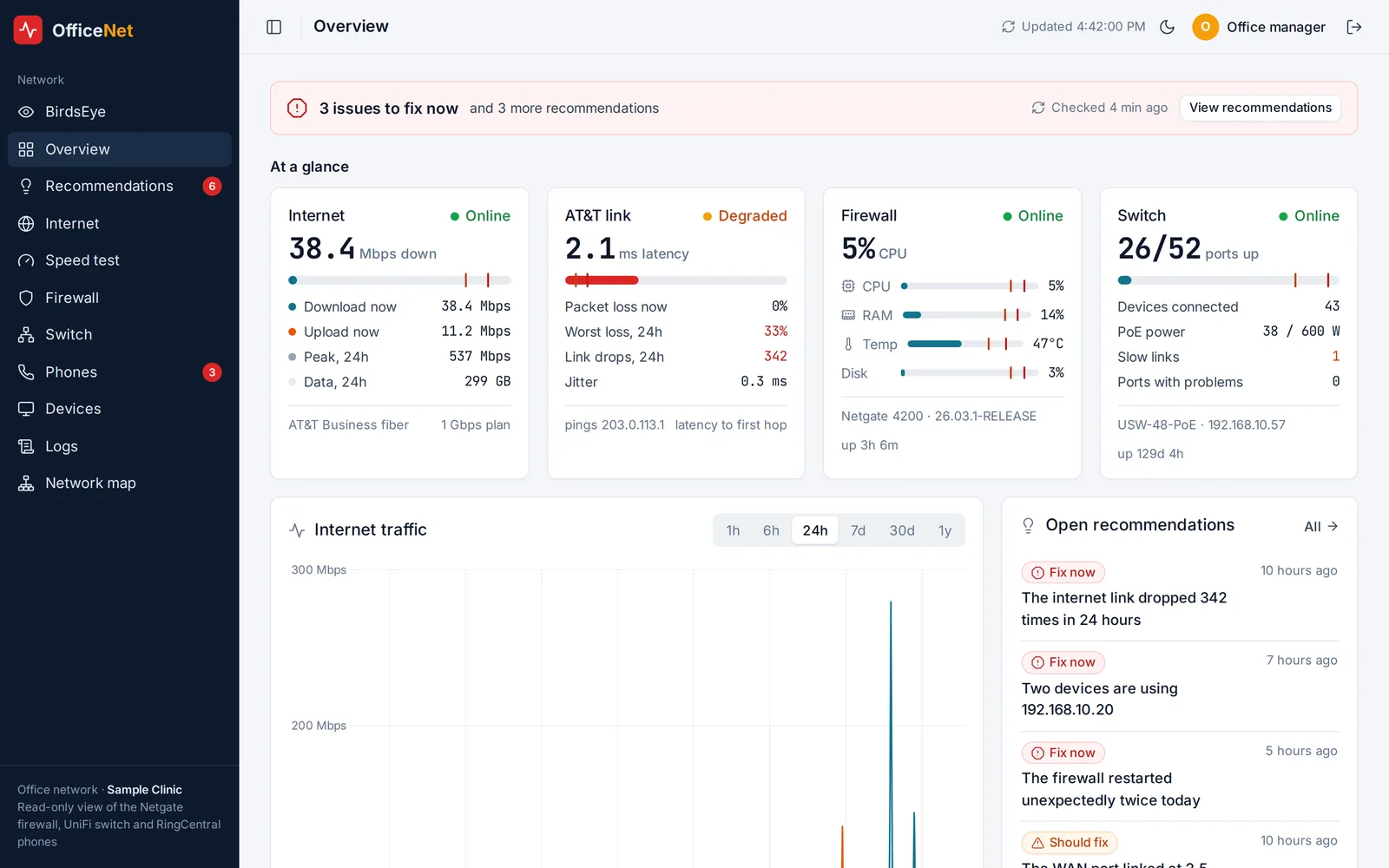
The screenshots on this page use sample data. The practice's own names, extensions and addresses stay with the practice.
The problem
One morning the practice's desk phones started cutting out. Patients heard broken audio, calls dropped, and the internet went down twice before lunch. The office has a business firewall, a 48-port managed switch, Wi-Fi access points and about two dozen cloud desk phones, but each one has its own admin screen, and none of them keeps more than a few hours of history. Nobody could say what changed, when it started, or whether it was the internet provider, the network or the phone system.
The day before, a second switch full of security cameras had been plugged into the main switch. It looked like a likely suspect, but there was no evidence either way.
What we built
We connected a server to the office network over a VPN and built a read-only dashboard that pulls from every piece of equipment, stores the history in its own database, and shows it all in one place. It never changes a setting on the firewall, switch or phone system.
- Overview: one screen with the health of the internet link, firewall, switch, Wi-Fi and phones, with warnings when any data source goes quiet.
- Internet: link speed, packet loss and latency to the provider's gateway, with link drops marked on the timeline.
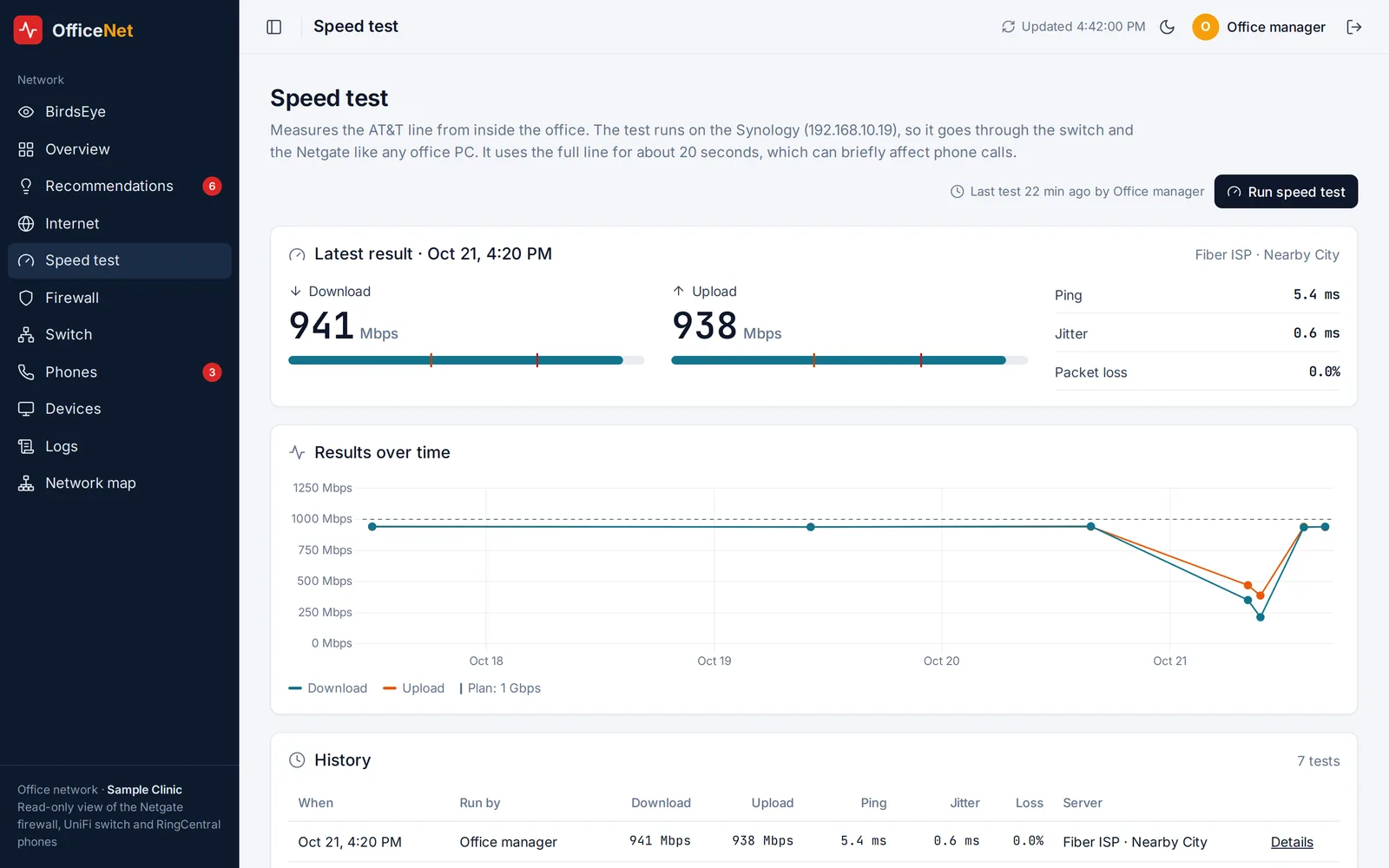
- Speed test: a one-click speed test run from inside the office, with results stored so slowdowns can be compared against a baseline (about 940 Mbps down and up on a 1 Gbps line).
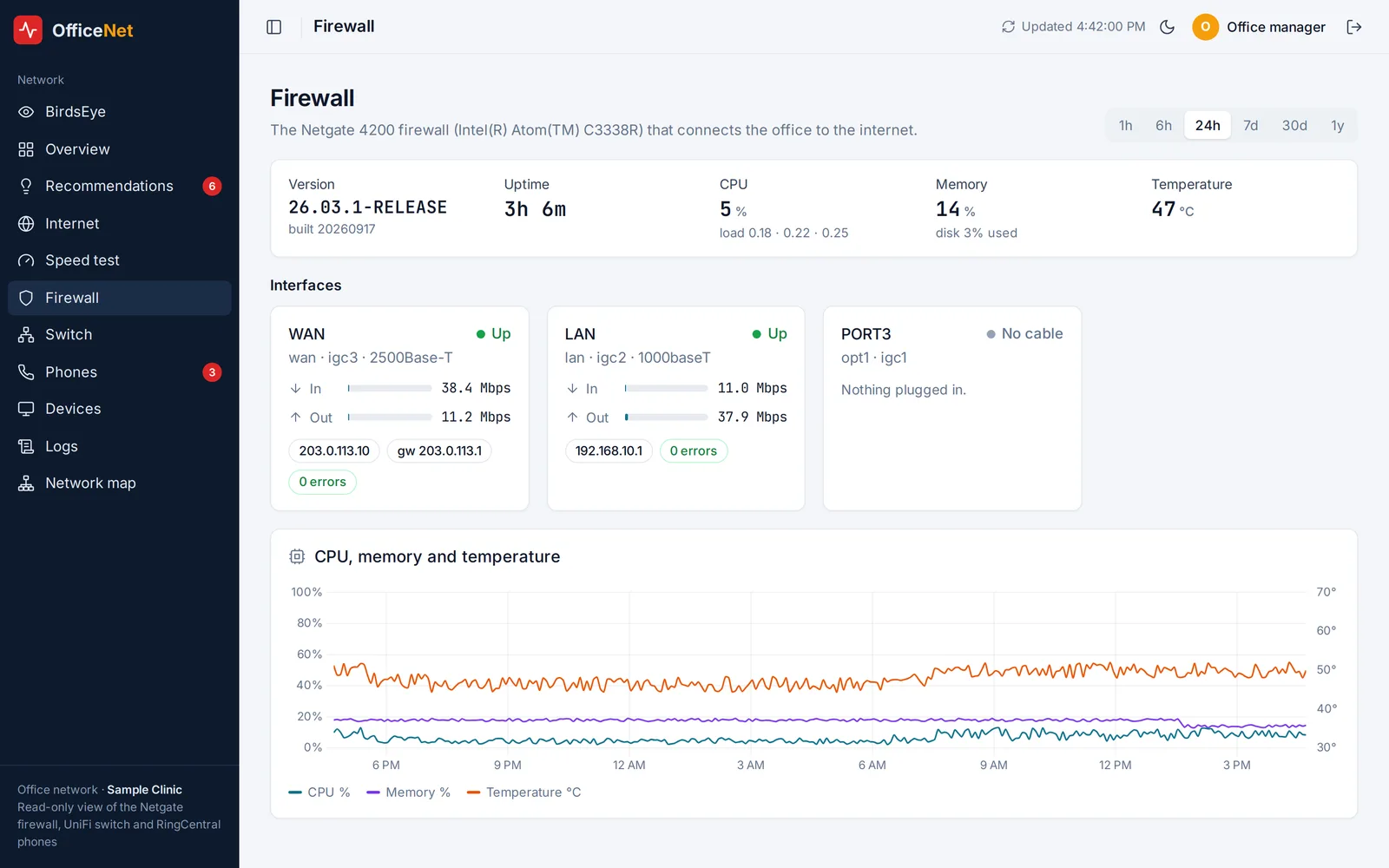
- Firewall: CPU, memory, temperature, unexpected restarts and failed sign-in attempts.
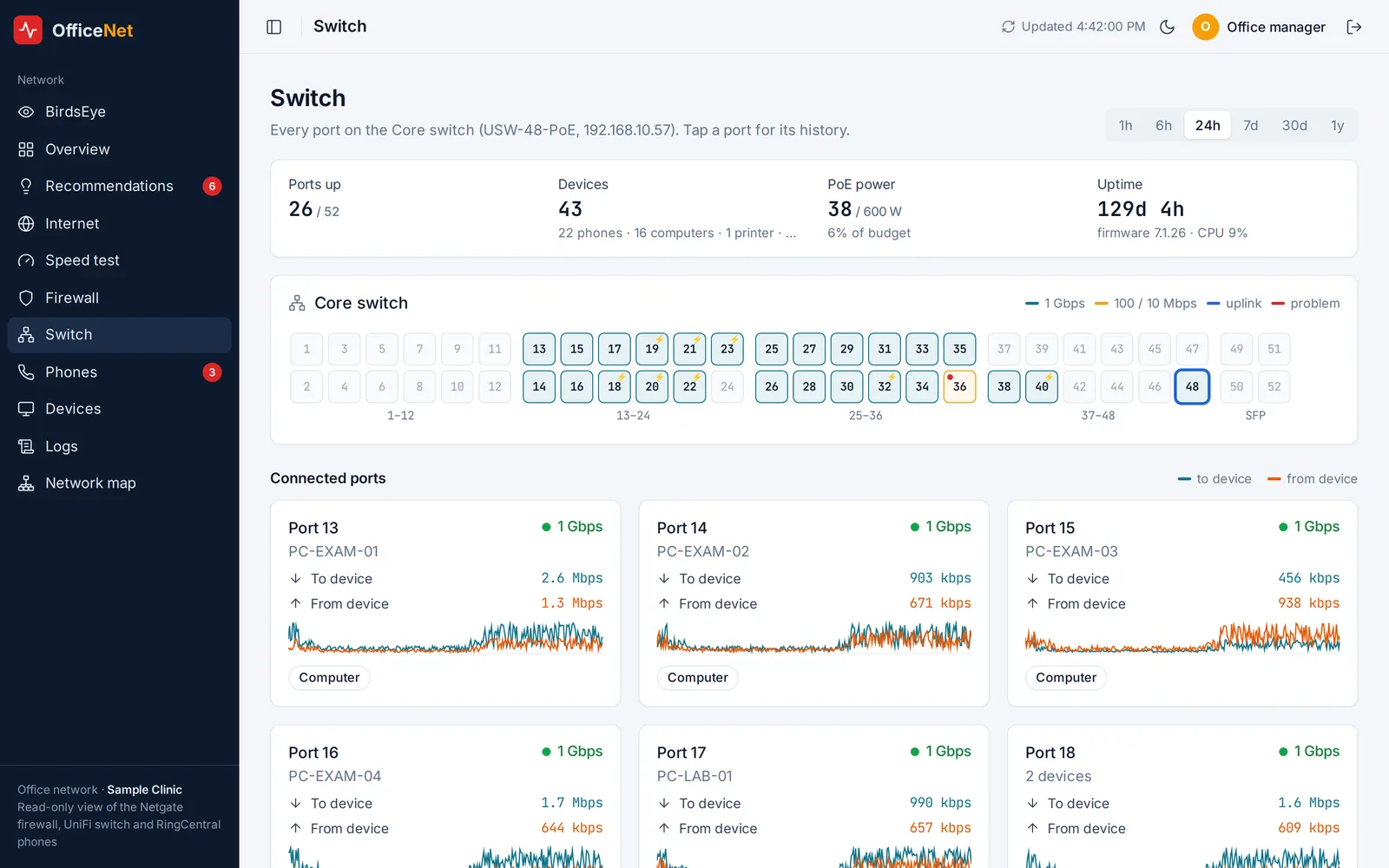
- Switch: all 48 ports at a glance with speed, errors, drops, PoE power and link flaps, so a slow or failing cable stands out.
- Phones: every desk phone's status, call volume, and call quality measured at the firewall. The phone provider's API has no call-quality data, so the dashboard measures it itself: it counts the audio packets in each live call in both directions and pings the provider's media servers every minute. Gaps between the two sides show audio loss, per phone and per call.
- Devices and logs: every client on the network and a searchable history of firewall, DHCP and Wi-Fi events, kept for months instead of hours.
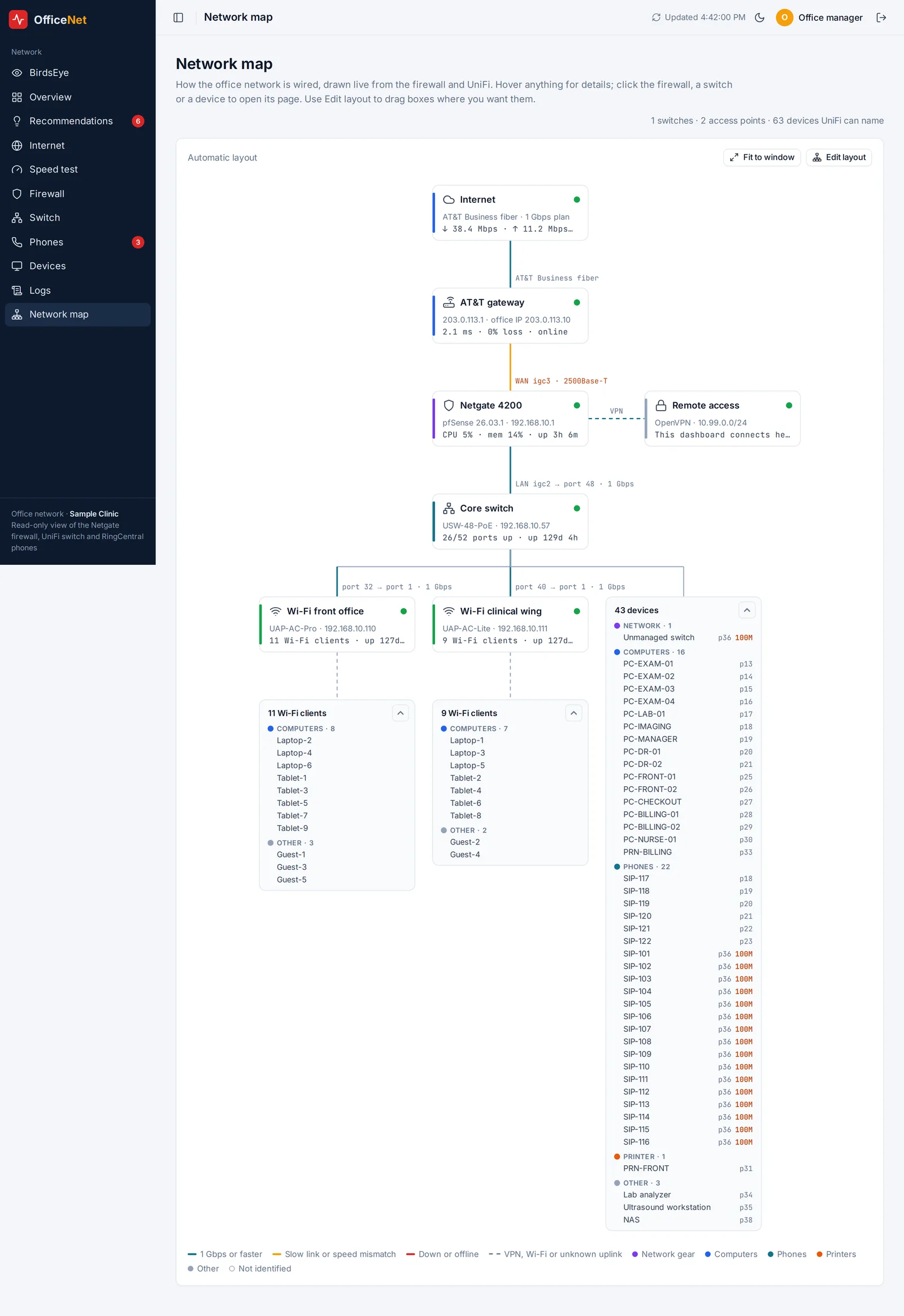
- Network map: a live diagram of how the office is wired, from the internet line through the firewall to every switch, access point and device, drawn automatically from the equipment's own data. Slow links and speed mismatches are colored, and staff can drag the boxes into a layout that matches the building.
- Recommendations: about 30 automatic checks (slow uplink ports, duplicate IP addresses, phones that keep going offline, a full DHCP pool, a link negotiating the wrong speed, and more). Each finding comes with plain-English steps to fix it. Staff can mark items done, dismiss or snooze them, and the next check confirms whether the fix worked or reopens the item if the problem comes back.
Sign-in is by a one-time code sent by email to an allowlist of staff, and the dashboard keeps 5-minute history for over a year.
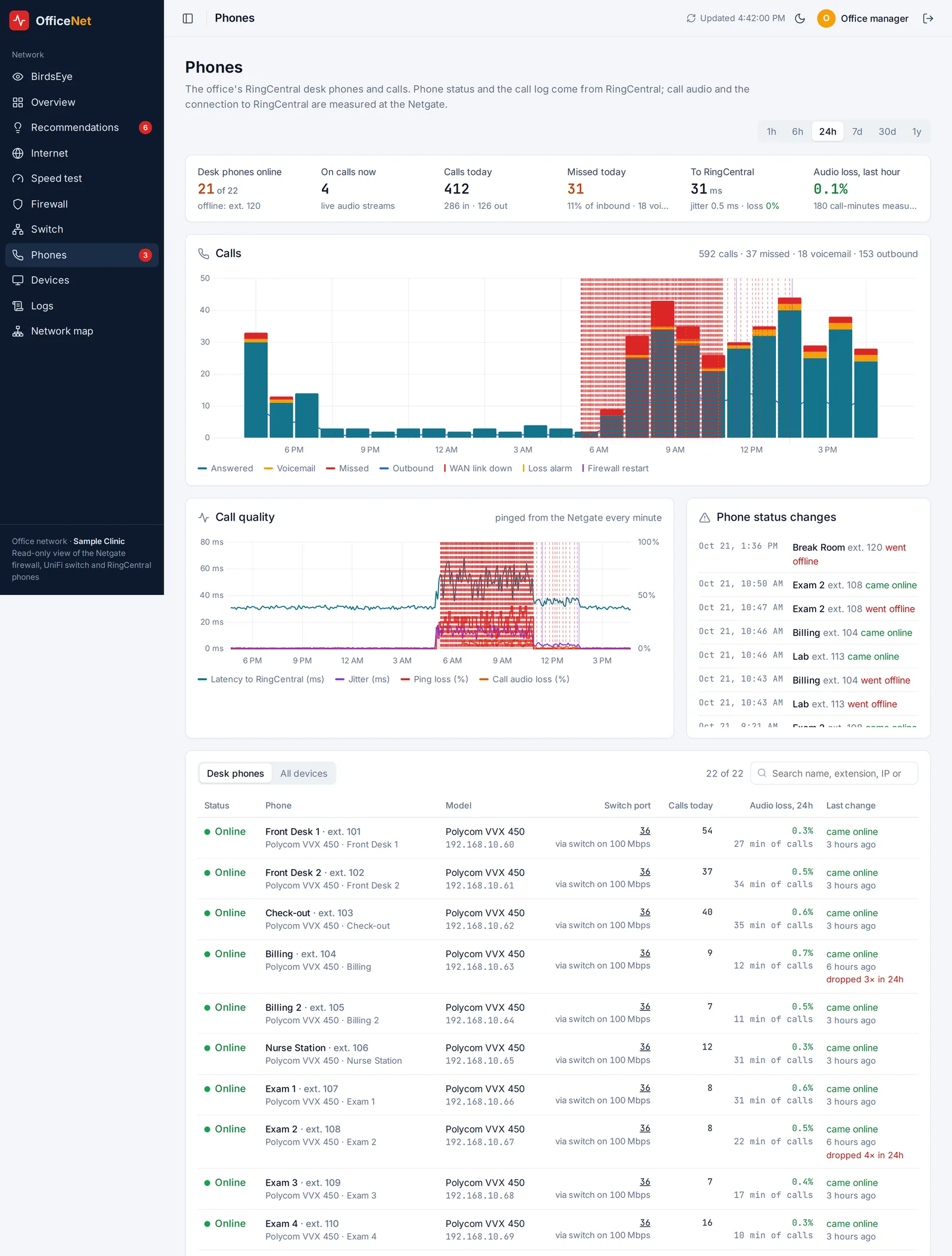
What we found
Once the firewall's full log history was imported, the timeline was clear:
- The internet link had been dropping 40 to 80 times an hour since at least 5 a.m.
- The drops fell sharply the moment the camera switch was unplugged, and stopped after the equipment was power-cycled.
- Two of the security cameras were set to the same IP address, causing conflicts on the network.
- The firewall's internet port had negotiated 2.5 Gbps on a 1 Gbps line, and two unexpected restarts pointed to a power problem.
- The main switch itself showed zero errors on every port, which ruled it out.
- Most of the desk phones sat behind a small switch that was connected at only 100 Mbps.
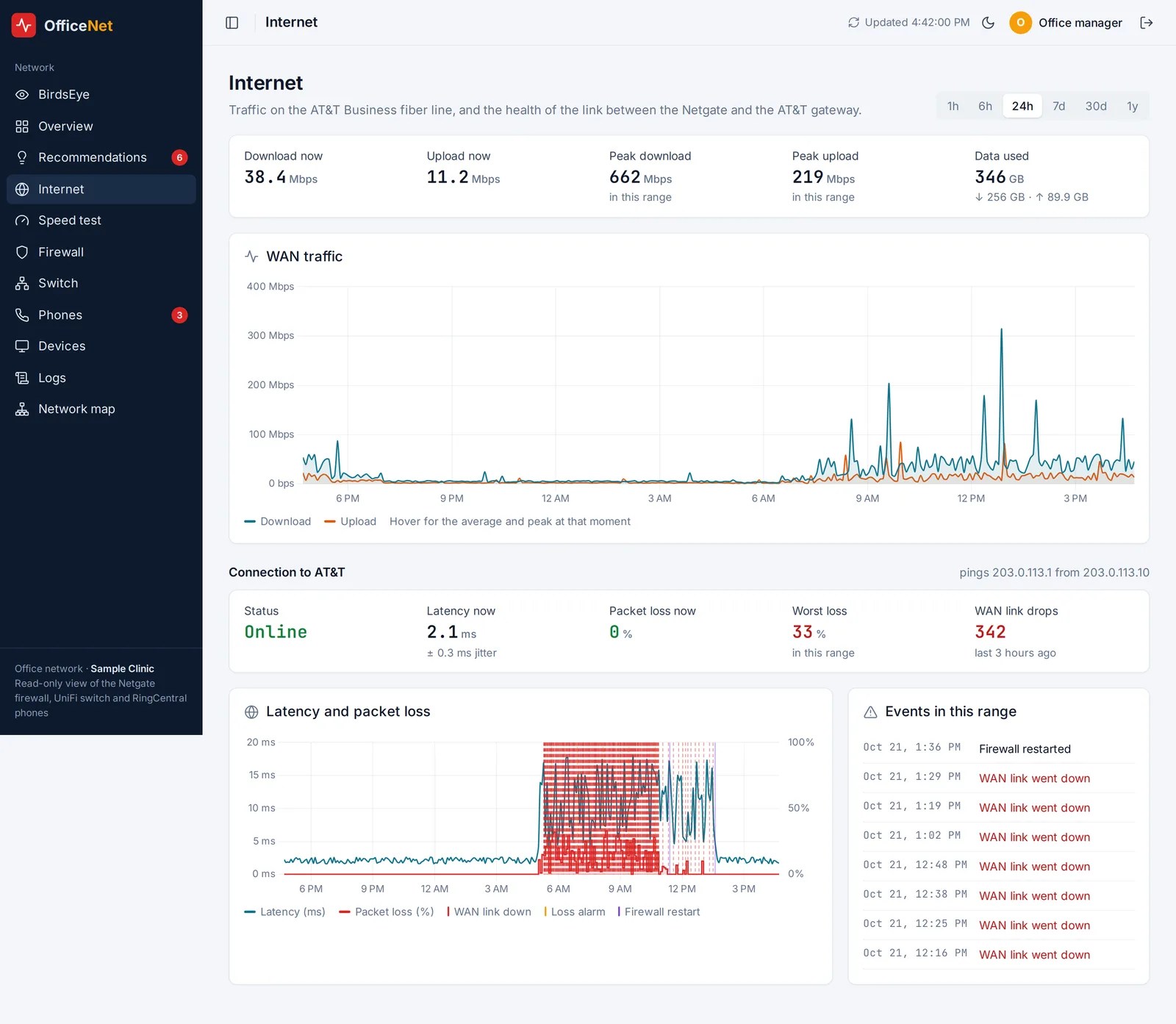
That gave the practice a short, concrete fix list (fix the camera IP conflict, check the camera switch's cabling before reconnecting it, lock the internet port to 1 Gbps, and put the firewall on a UPS) instead of a guess. Within days the practice replaced the slow phone switch with a managed gigabit PoE switch, and the dashboard picked it up and mapped it automatically.
Built with care for patient privacy
Phone records can hold patient information, so the dashboard stores only extensions, devices, times and call results. It never stores outside phone numbers or caller names. All access is read-only, and the whole system runs on infrastructure the practice controls.
What's next
- Move the firewall connection to a dedicated read-only API account.
- Alerts by email or text when the internet link or a desk phone starts dropping, instead of waiting for someone to open the dashboard.
- Reconnect the camera network on its own VLAN once the cabling and IP conflicts are fixed, and watch it on the same dashboard.
More screens
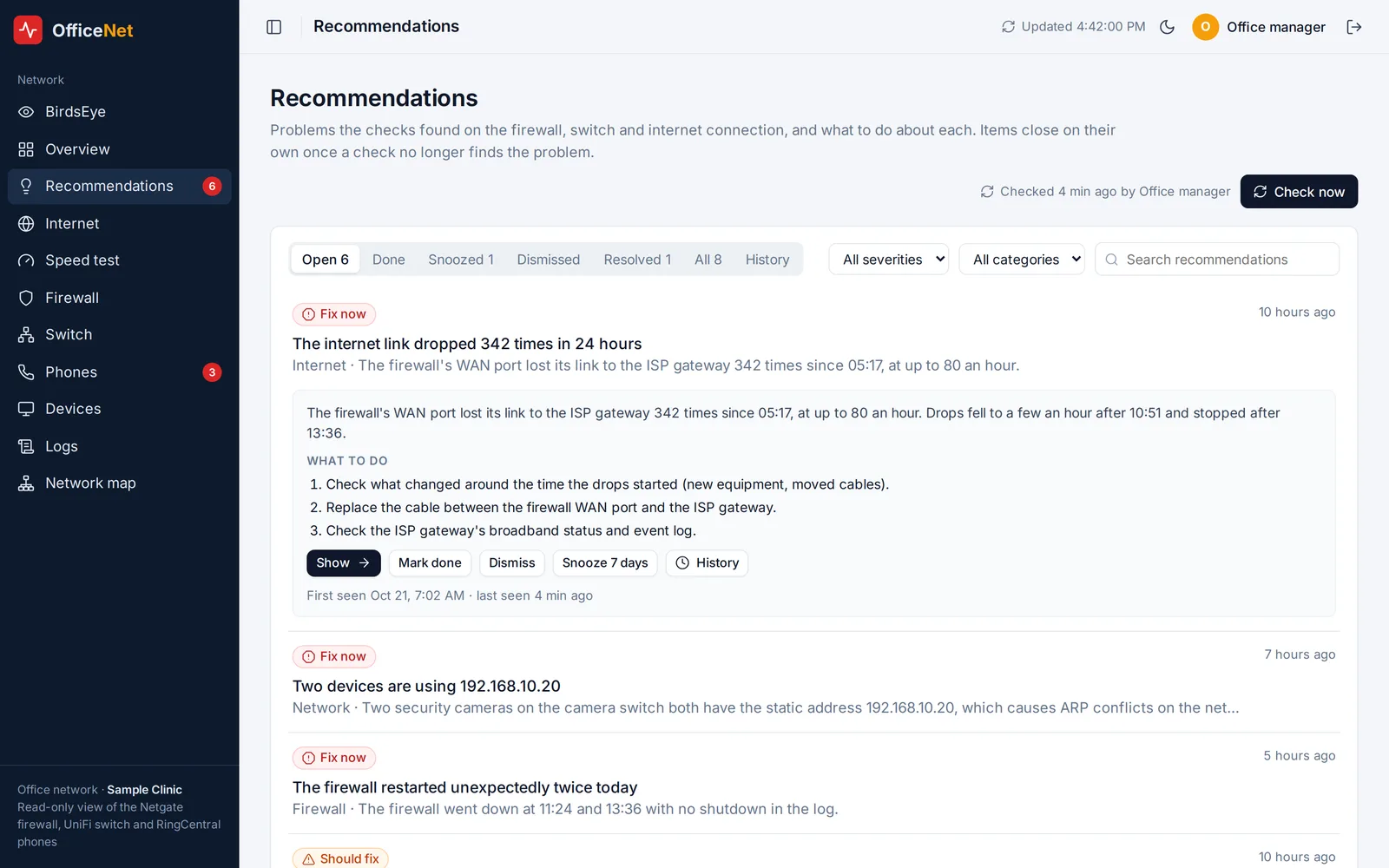
Screens shown with sample data.
Tech: Node.js, Express, PostgreSQL, Chart.js, nginx, pfSense (Netgate) REST API, UniFi Network API, RingCentral REST API, OpenVPN.
Have a workflow like this one?
Book a free AI planning call